Keyboards from the latest generation of the Skyfall line are configured in the proprietary HATOR SyncHUB software. This software is currently available in two versions - as a separate application for Windows-based computers and a web version that works with most popular operating systems.
To use the web-based version - visit https://hator.io page.
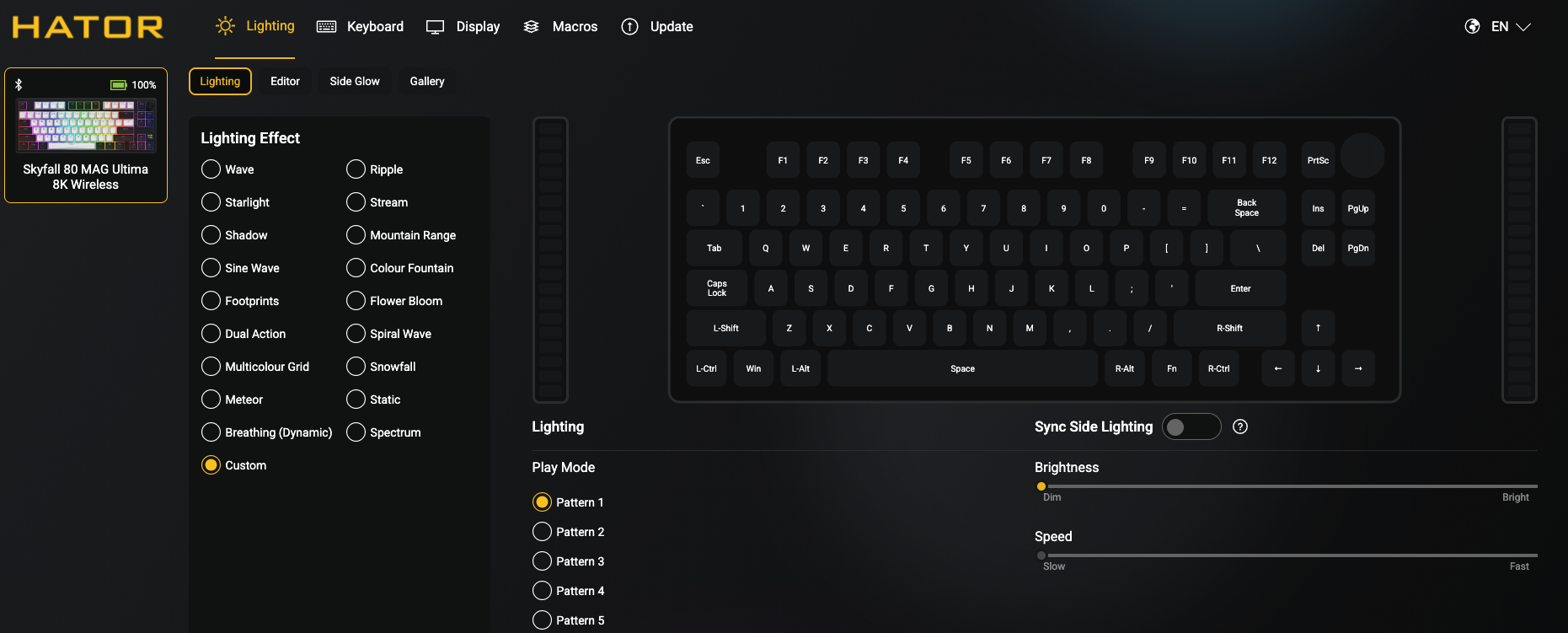
The main program window contains several tabs, which are divided by purpose:
Lighting - control the keyboard backlight;
keyboard - configure the keyboard, its keys and functions;
display - tools for controlling the built-in display (availability depends on the keyboard model);
macros - record, edit and configure macros;
update - display the software version and check for updates.
You can also select the interface language and reset the device to factory settings.
💡To adjust the backlight, open the Lighting tab.
The user can change the effect of the main and side lighting (if available), its color, direction, speed and brightness. Additionally, there is an editor in which you can create and save your own lighting scheme.
⚙️ The "Keyboard" tab contains the largest number of settings.
Here you can configure the functions of the main and Fn-layer keys, disable individual keys or assign combinations and macros to them, activate and configure the SOCD function.
🧲 Owners of the keyboards with a magnetic switches will be able to configure such functions as Rapid Trigger, Dynamic Key Stroke (DKS), Press and Click (MT), Toggle Switch (TGL), Snap Key (SOCD), and most importantly - the distance to the actuation of each switch separately. The method is quite simple - select the desired key, and then assign the desired function to it.
📺 The "Display" tab helps you manage the built-in display, if your device has one.
You can create and upload your own or pre-made third-party drawings or animations.
🕹 The "Macros" tab has the corresponding functionality - it allows you to record and edit macros.
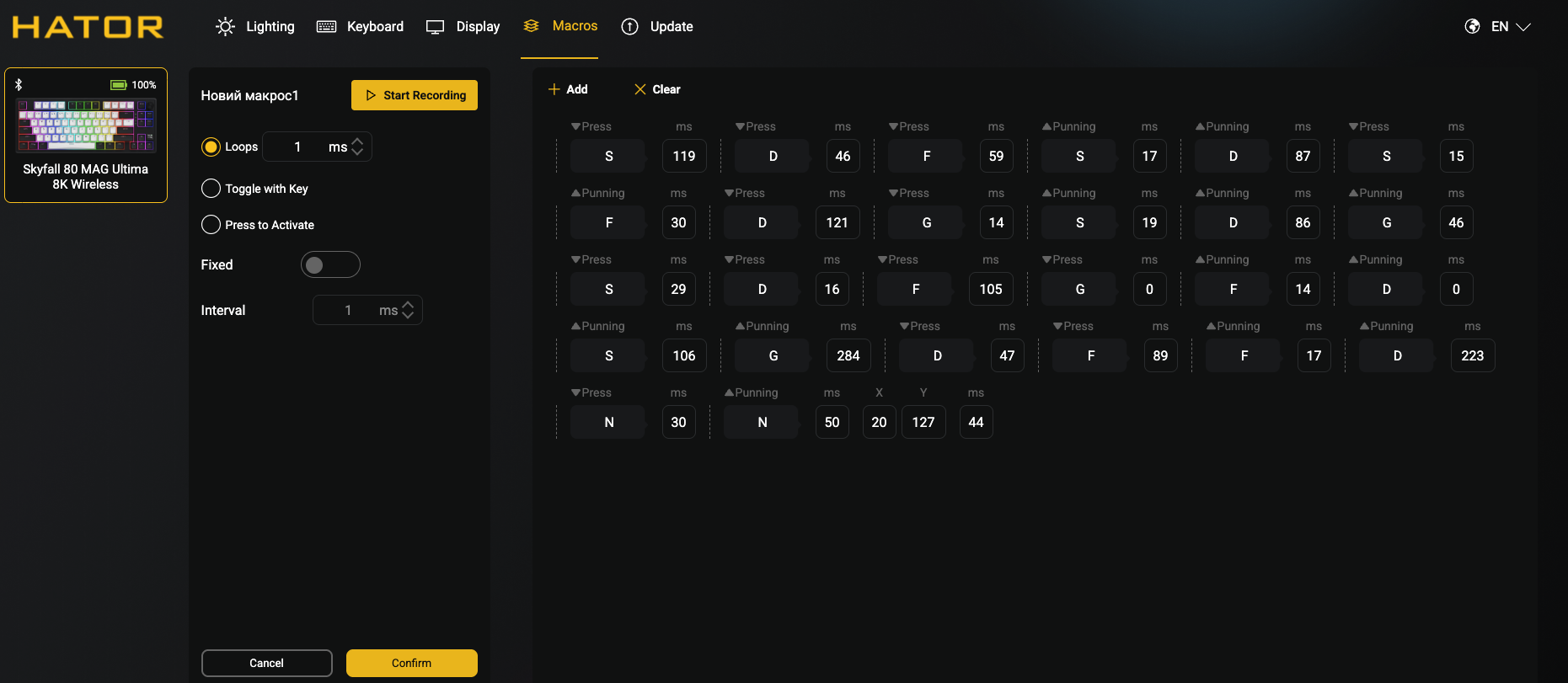
The user can record keyboard input, add mouse actions, and adjust the delay value at each stage of the macro. Also, settings are available for how macros are played.
An example of working with a macro is shown in the video with key settings.
✅ The last tab "Update" will help you check the version of the installed software and firmware for relevance.
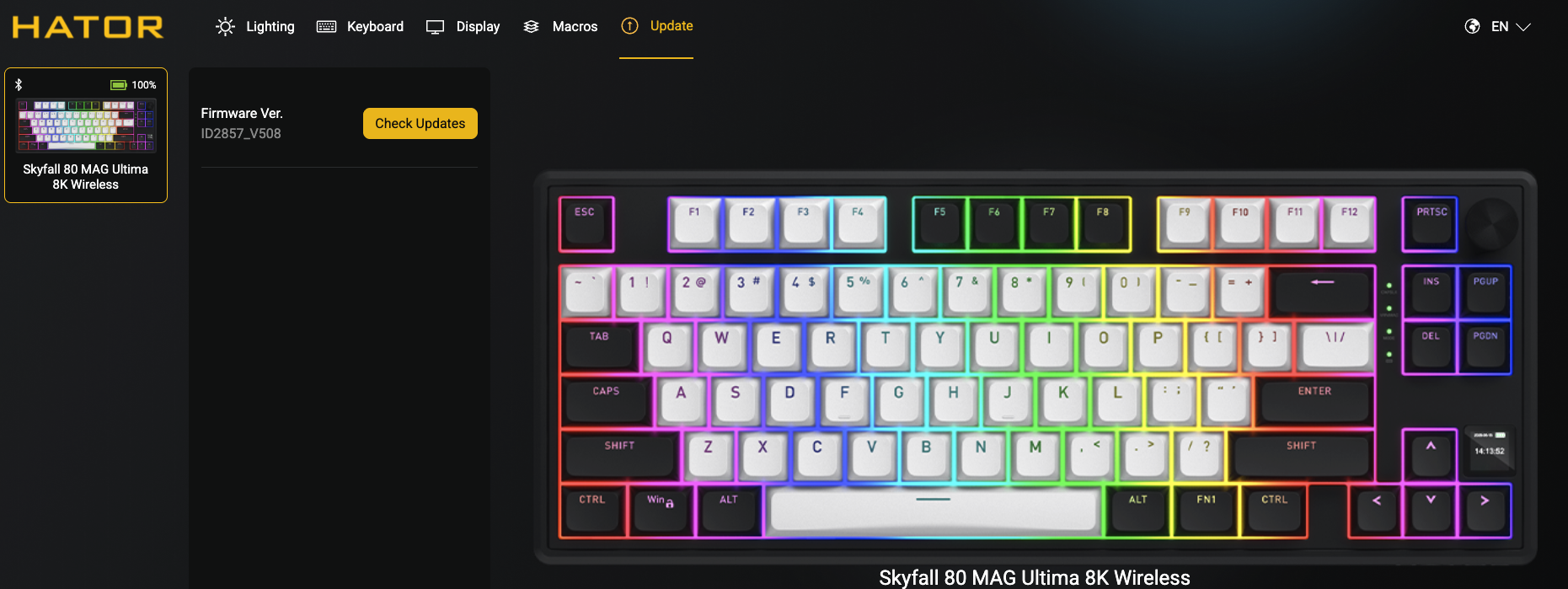
Any firmware updates should be performed exclusively in wired mode and with backup power to prevent the keyboard from becoming inoperable during an abrupt termination of the firmware process.
