The proprietary HATOR SyncHUB® mobile application allows you to fine-tune the sound and additional functions, including the ability to update the firmware of supported devices.
Firmware updates can be performed during the update of the notification language package. To update the headset firmware, first make sure that you have downloaded the latest version of the HATOR SyncHUB® app.
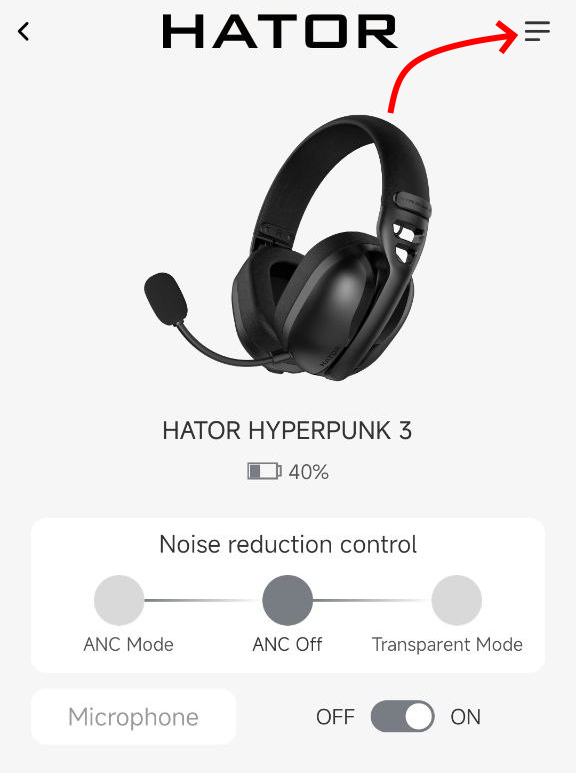
Charge the device to at least 30% and connect to your smartphone via Bluetooth. Open the HATOR SyncHUB® application and select your device from the available ones. On the main screen of the device settings, click on the image with three lines:
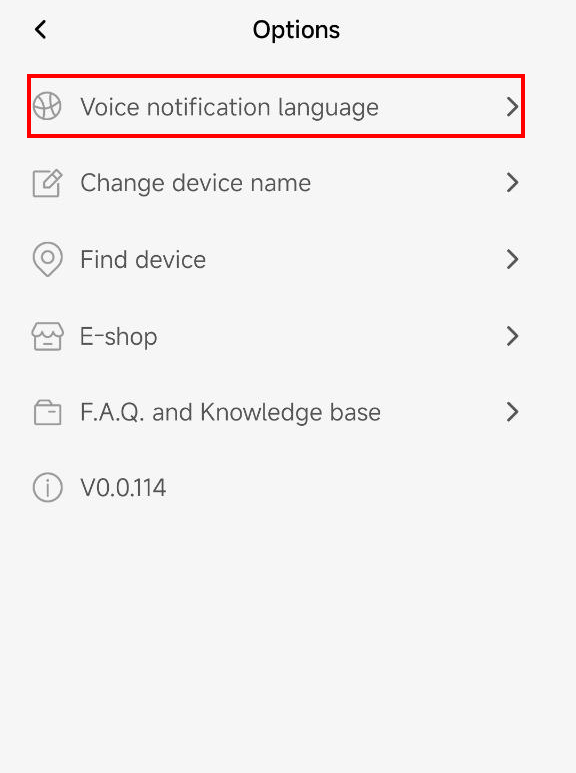
In the menu that opens, select the "Voice notification language" option for the notification language settings:
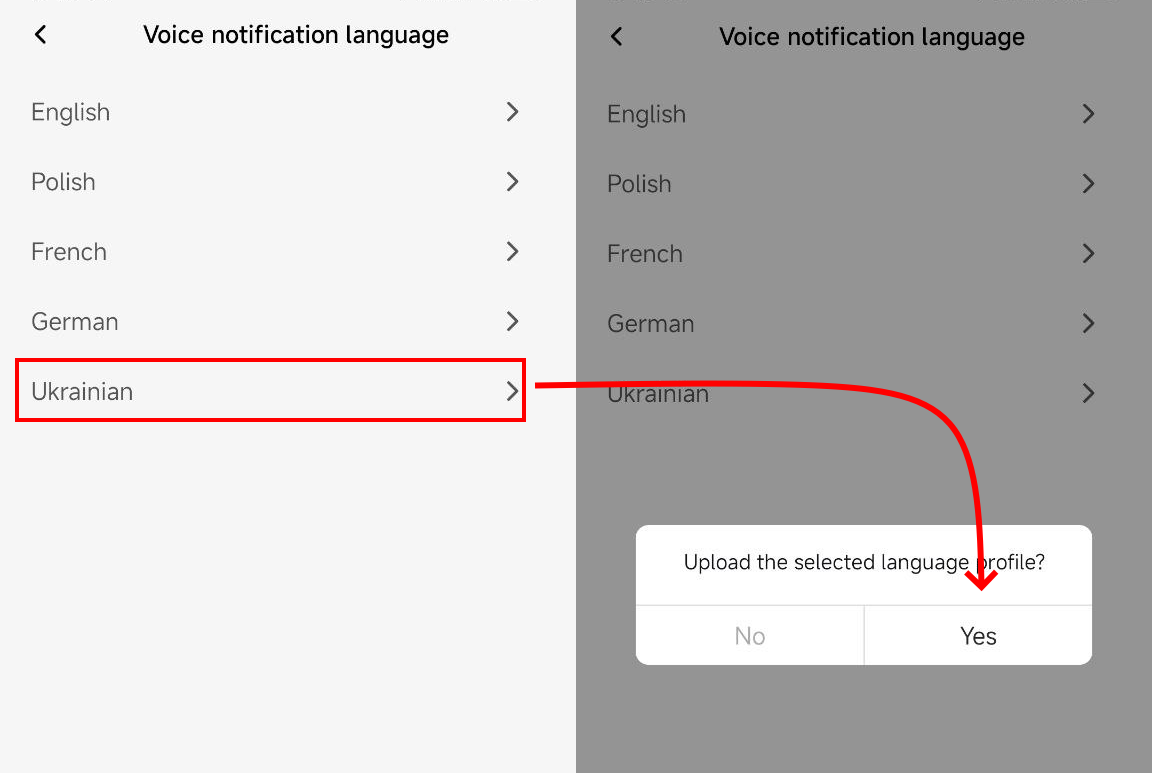
The application will display a list of available languages for installation. Select the desired language and click "Yes":
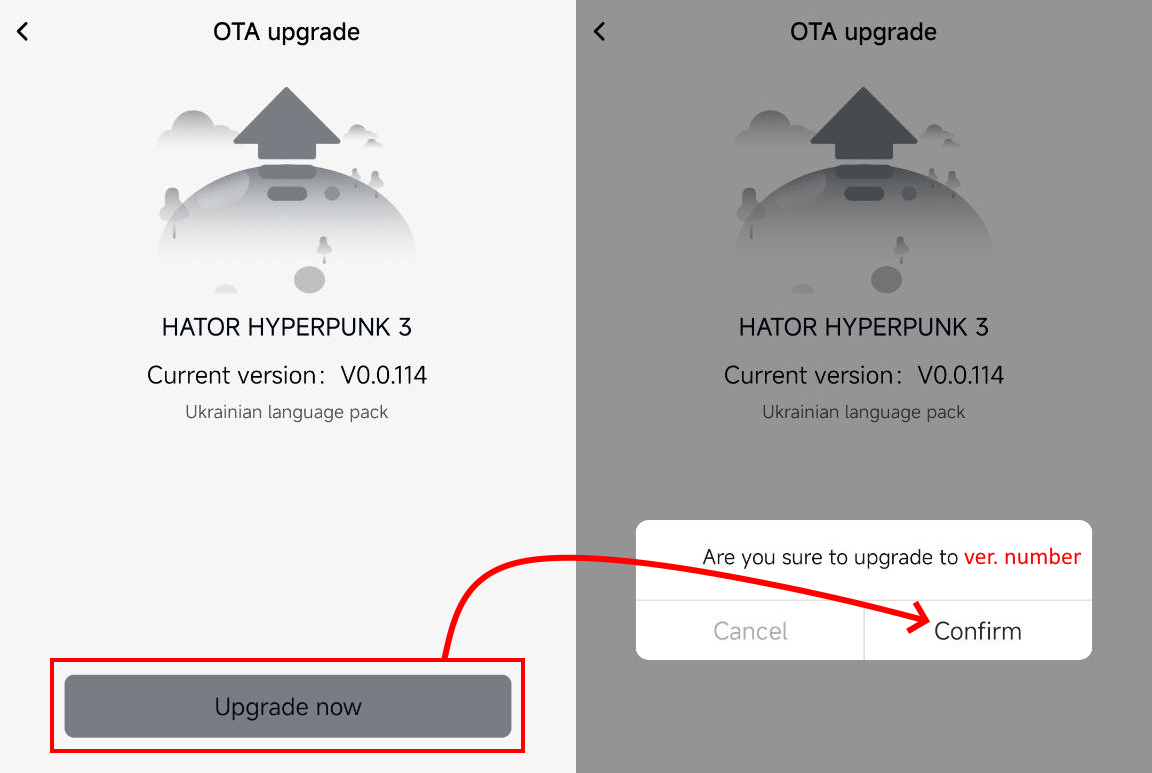
In the next window, click "Upgrade now" and "Confirm" in the message that appears.
The update will begin. Be sure to wait until the update is complete, do not turn off the device, switch modes, or press any buttons and controls on it.
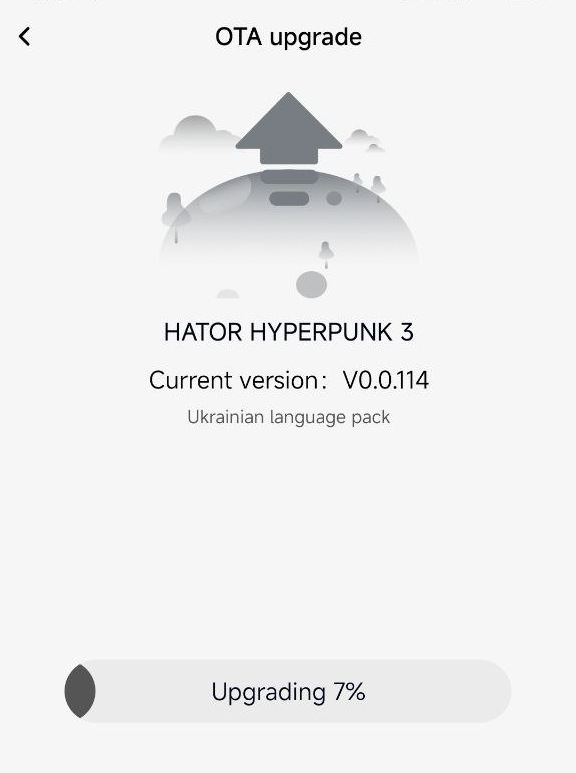
After a successful update, the headset will automatically turn off. The next time it is turned on, it will be accompanied by sound notifications in a different language.
