Connect the mouse to the computer. Unzip the archive (download) to a convenient place on your computer. Among the received files, find and run the file named "flashOnLine". Make sure that the Pulsar 2 (HTM-510) mouse is connected to your computer and the program sees it (the inscription Connected to the device).
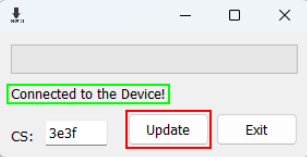
Click the "Update" button to update the mouse firmware.
IMPORTANT: Do not disconnect the mouse or turn off the computer during the update process, otherwise it will fail.
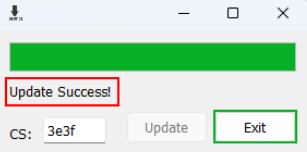
After the program completes the update, you will see the message "Update Success!". Only then, click the "Exit" button.