Some call it a "puller", and some call it a "remover" or simply a "key". Yes, we will talk about a tool that is used to remove switches and keycaps from keyboards. A puller can be combined or simplified, which performs only one of two possible functions. Next, we will consider the combined option.
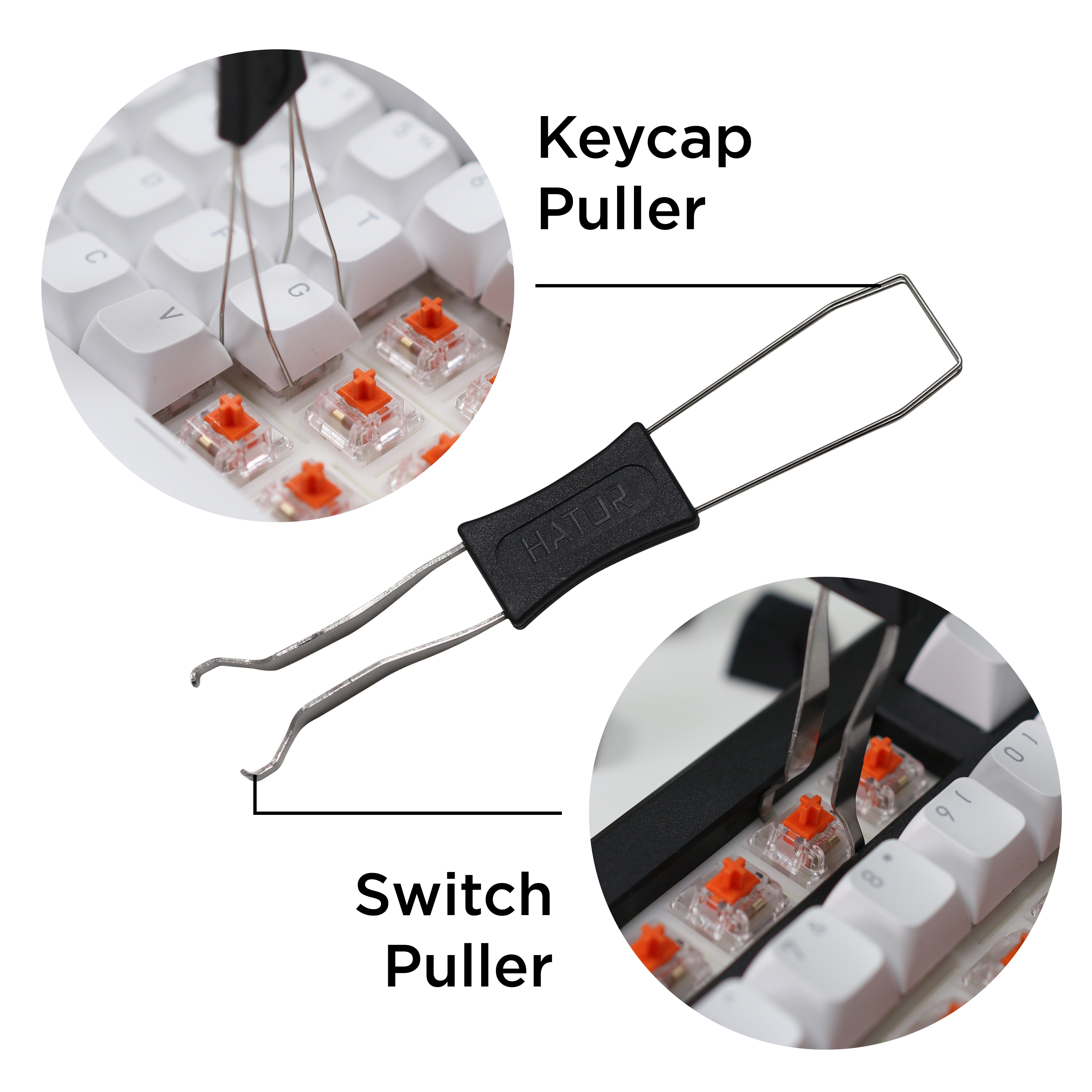
The combination puller looks like a combination of two tools in one. The stiffer side is designed to work with switches, and the thinner and more flexible side is designed for keycaps. Below we will describe step-by-step the procedure for removing keycaps and switches.
Let's start with the keycaps
We use the more flexible part of the tool.
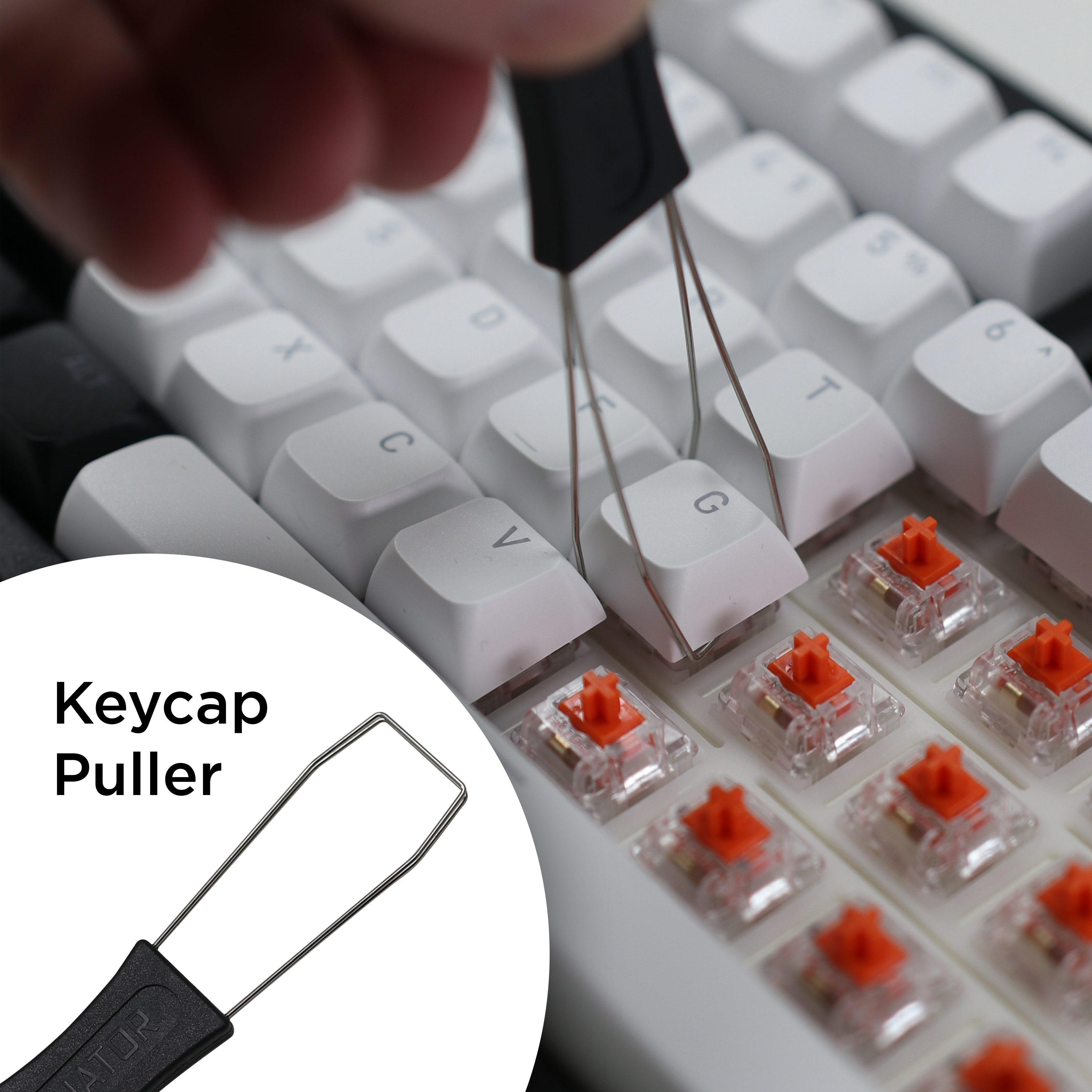
• Hold the puller by the handle.
• Carefully place both puller wires on opposite sides of the keycap.
• Press lightly so that both puller arms are securely locked under the keycap.
• Pull straight up without twisting - the keycap will detach from the switch.
Removing the switches
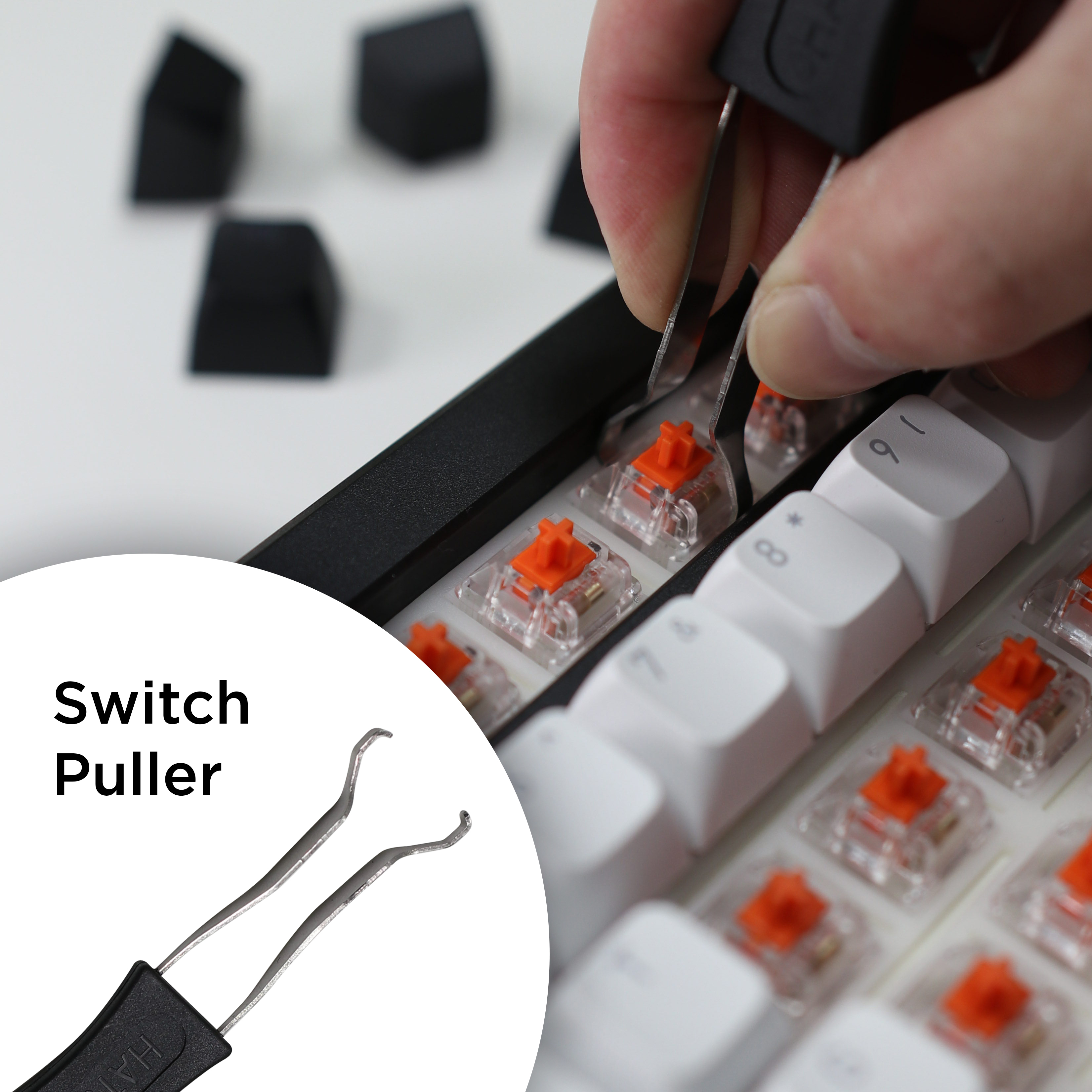
Use a stiffer and more durable part.
• Make sure that the keyboard is turned off.
• Be sure to make sure that your keyboard supports hot swapping of switches. Attempts to remove a soldered switch from a keyboard that does not support hot swapping will damage the switch itself or even the board.
• Hook the tips of the switch puller under the top and bottom protrusions of the switch, as close as possible to the board in which it is mounted. Not from the sides, but from the bottom and top, this is important!
• Slightly squeeze the puller to lock it on the switch and loosen the switch's fastening on the board.
• Pull the switch straight up until it comes out of the socket. If the switch "resists", pull it up at a slight angle towards you.
To install the switch and keycap, no special tools are needed, everything is done simply - by hand. The main thing is to pay attention to the position of the switch legs and the contacts in the board. Installing the switch in the wrong position can damage the switch and the keyboard.
