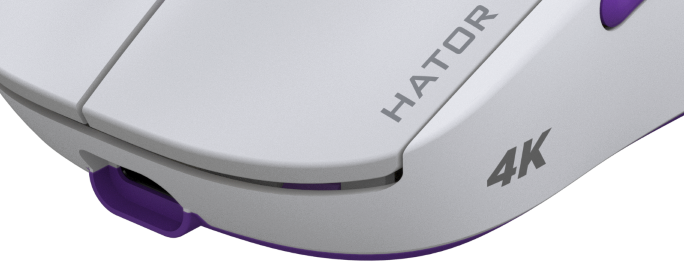
More and more companies are showing interest in improving their products, especially mice, by increasing the polling rate. This means that mice can now respond to user movements much faster and more accurately, which affects the overall user experience. Thanks to a high polling rate, users can enjoy smoother and more continuous movement in the game. In addition, it also helps to reduce the delay between the mouse movement and the display of this movement on the screen, which is especially important for gamers who require instant response.
Our assortment also includes mice with a high polling rate - 4000Hz and 8000Hz, so we consider it necessary to inform users about the features of using this type of manipulator.
What is polling rate?
The polling rate of a mouse is a parameter that determines how quickly the computer polls the position and clicks of the mouse. This means that the higher the polling rate, the more accurately the computer determines mouse movements and responds to key presses. For example, if the mouse polling rate is 1000 Hz, this means that the computer polls the mouse position 1000 times per second. The rate directly affects the mouse's response and latency:
| Polling rate | Latency |
| 500Hz | 2ms |
| 1000Hz | 1ms |
| 2000Hz | 0.5ms |
| 4000Hz | 0.25ms |
| 8000Hz | 0.125ms |
Minimal lag, smooth movements and precision - all this allows you to implement your actions in the game as quickly and accurately as possible - aiming, tracking and flicking.
However, it is important to note that increasing the amount of data that your computer, in particular its processor, processes has an impact on its performance in performing other tasks, including games. To fully benefit from the 4000 Hz polling rate and higher, certain conditions must be met.
First, it is recommended to have a sufficiently powerful CPU, with at least six physical cores and a correspondingly high IPC.
Second, the operating system must be capable of interrupt moderation at 250 microseconds or less - Windows 8 or higher, where interrupt moderation on XHCI is typically 50 microseconds. It is recommended to connect the transmitter to a USB 3.x/4 port in XHCI mode. The XHCI architecture was designed to support all USB speeds, including SuperSpeed (5 Gbps) and future speeds, in a single driver stack. Any USB 3.x ports that are forced into EHCI mode will behave like a USB 2.0 port and are not recommended for use.
A few additional tips for future owners of high-speed mice that will help you get the most out of your new device:
- use Windows 11 with the latest updates;
- connect the transmitter to USB ports located directly on the computer's motherboard;
- the distance from the mouse to the transmitter should be minimal;
- always update drivers for the chipset and video card;
- check if the maximum screen frequency supported by your monitor is selected;
in the game, activate the delay reduction functions (if any) and select the optimal graphics settings for your computer.
System recommendations to use high polling rate gaming devices:
| 4000Hz | 8000Hz |
| OS: Windows 10 or newer | OS: Windows 11 |
| CPU: Intel core i5 10400 AMD Ryzen 5 5600 or better |
CPU: Intel core i7 11700 AMD Ryzen 7 5700X or better |
| Display: 144Hz+ | Display: 240Hz+ |
| DPI: 1600+ | DPI: 3200+ |
It is important to note that the polling rates specified by mouse manufacturers represent the maximum possible value for a particular device. If the mouse is not physically moving enough to generate enough motion events (for 8000 Hz at least 8000 pixels per second), fewer updates will be transmitted, resulting in a lower effective polling rate. Accordingly, it is recommended to use a fairly high CPI to achieve maximum frequency values.
