For full support of Quasar 3 mice (HTM730 manufactured in 2026, serial number starts with HT202601) by MouseHUB software, an ID update may be required. Use the following instructions to do this.

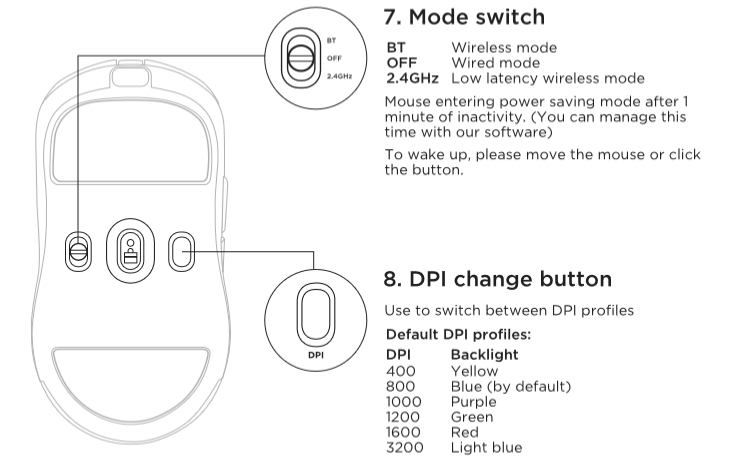
Connect the 2.4GHz dongle to your computer and activate the 2.4GHz wireless mode on the mouse with a mode switch.
Download the special utility - download. Unzip the archive and run the utility through the file "Code-m.exe".
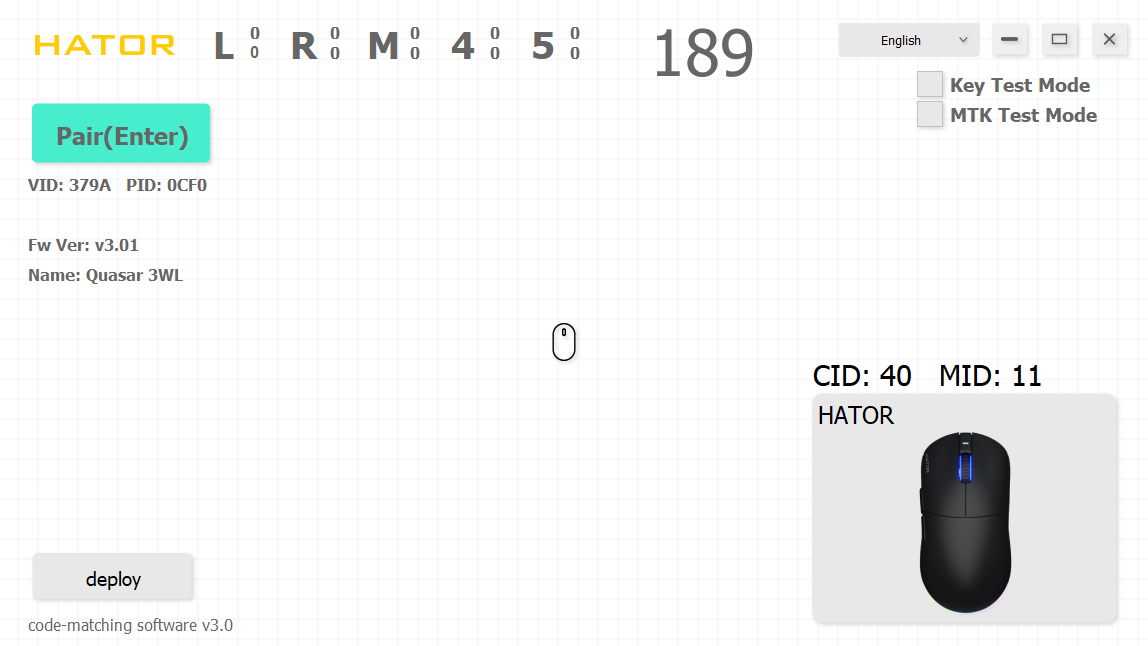
Keep the program window open/active. Press and hold the three mouse buttons - left, wheel, and right.
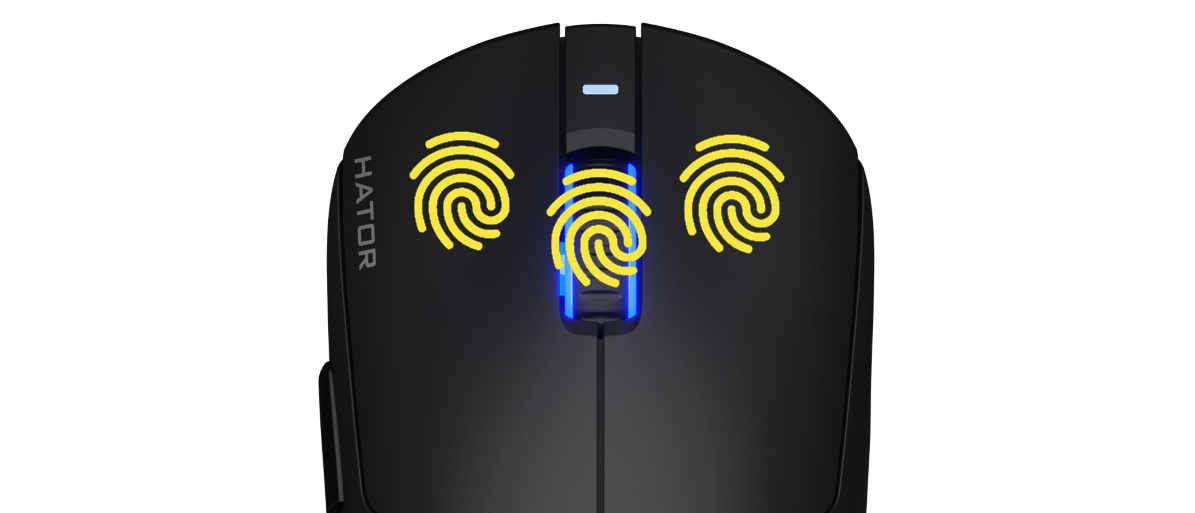
Hold the keys until the wheel light starts flashing green quickly. As soon as the wheel starts flashing, release the keys, move the mouse closer to the dongle and press the "Enter" key on the keyboard - the pairing and ID update process will begin. Wait for the "Success" message to appear, which will indicate the successful completion of the procedure.

If the procedure fails the first time, perform it again.
After that, you can close the program window and fully use the mouse settings software.
